Duration
- Apr - Dec 2025
Team
- Lead Product designer (me)
- Design Lead
- Product Manager
- 2 Learning Scientist
- 2 Engineers
My Role
- Led the end-to-end design from wireframes to QA fixes
Tool
- Figma/Figma Make
- Claude Code
- Codex
Duration
Team
My Role
Tool
What we archived
improvements shipped in the first 48 hours after launch
reduction in PR cycle time, with shorter end-to-end queue depth no longer being a leading bottleneck.
adoption of new AI-powered specialist tool
Design Docs and PRD written
Leading design
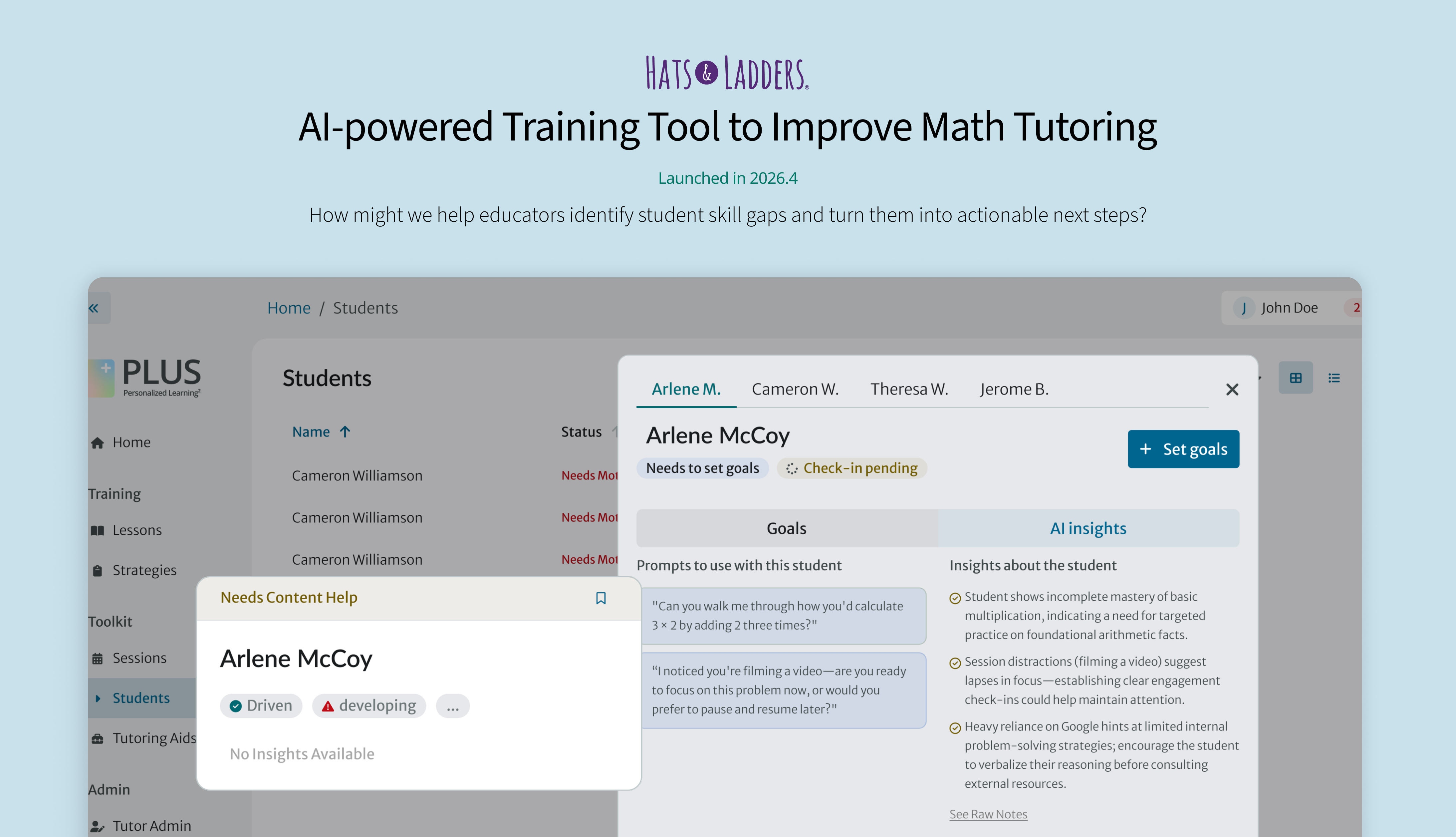
I was the lead designer on this project, taking initiative to define the AI coach experience. I defined the brand, user experience, and design direction from inception of the AI native product. This project introduced me to advocating for user experience among AI strategy and complex systems. As a main designer, I defined key design patterns/templates and collaborated closely with developers to bring them to life in a functional platform.
I also built and maintained the eval system across different AI features. Partnered with engineers to improve AI quality through experiments, prompt engineering and rapid code tweaks.
Work with engineering
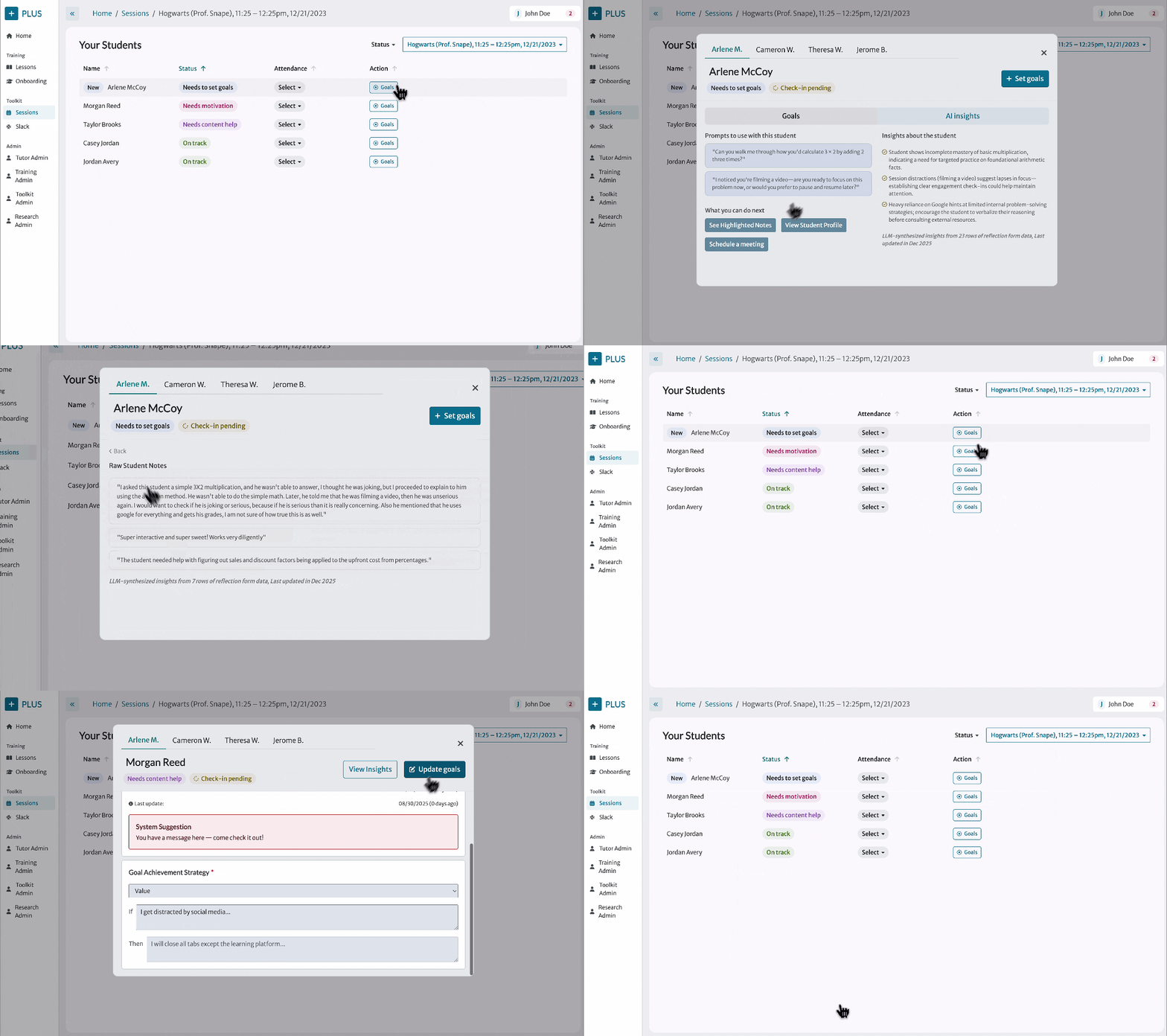
Through this initiative, I experimented on a new AI-agent-supported design flow and improved the workflow by reducing long iteration cycles and interaction uncertainity through close collaboration with engineering.
Rather than surfacing every possible insight, we aligned on a system that highlights only the strongest few signals. This helped coaches make faster decisions while also keeping inference costs and processing demands under control.
I also prototyped directly with real model outputs with Claude and worked with engineering to understand where the pipeline was confident, vague, or inconsistent. I created a workflow to be able to quickly iteration and translate the output to the updated the design.md we have.
Build the AI-Native workflow
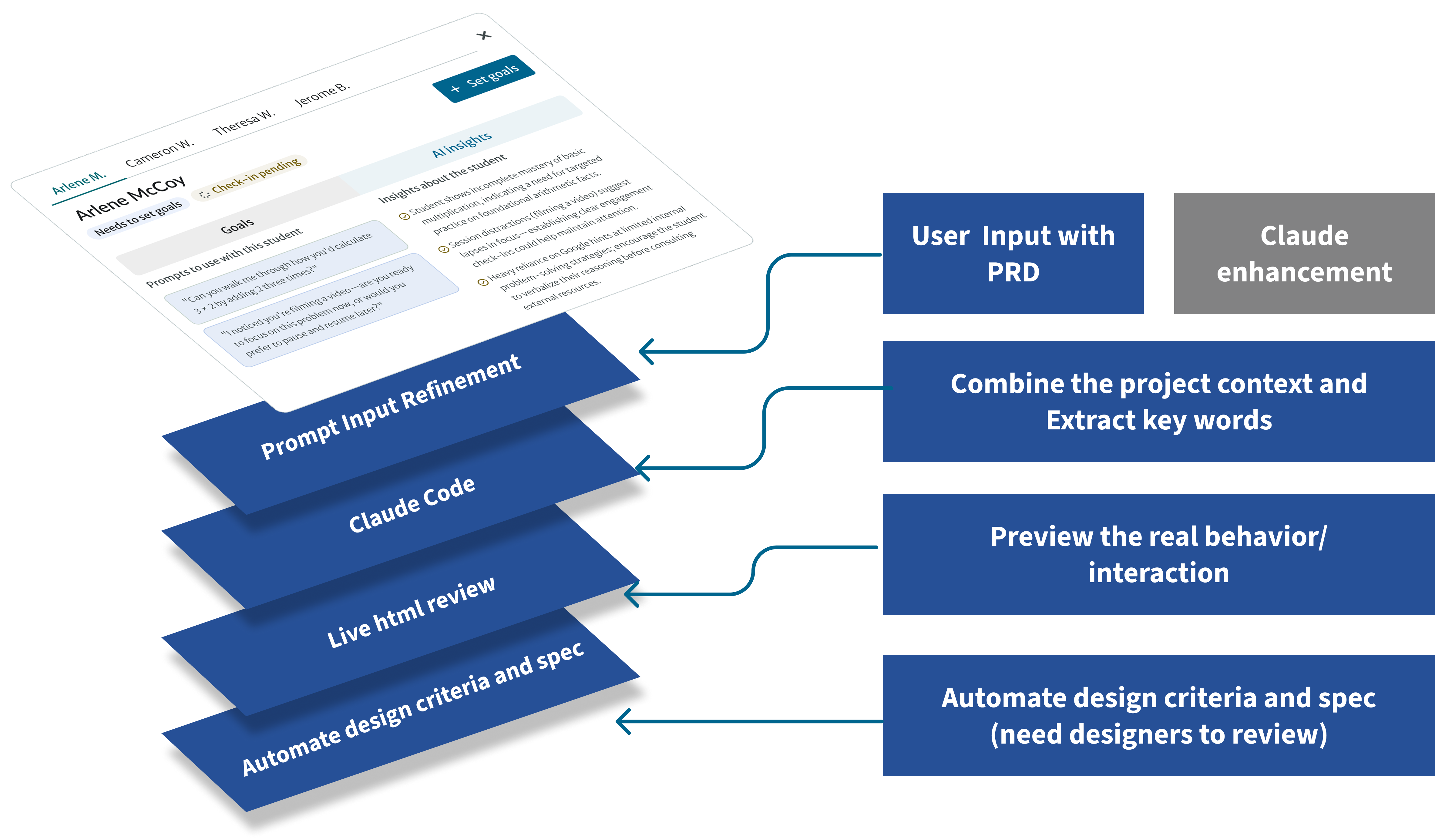
As an AI-native designer, we're using to pair code, agents, and design tools into pretty simple workflows. With AI-agents (Claude Code, Storybook and Replit), we are able to ship the designe in a much faster speed and stakeholders can validate the feature look and feel without spending time tweaking the details.
Our instinct is to build the "complete framework" first, then fill it in — figure out how many Agents, how many Skills each, build it all, tweak later. But usually you pour in tons of effort and the output ends up worse than just using GPT directly. Instead, I start the real problem during iterating and implmemtation phrase and try to solve it with Claude. Gradually I built my internal agent framework.
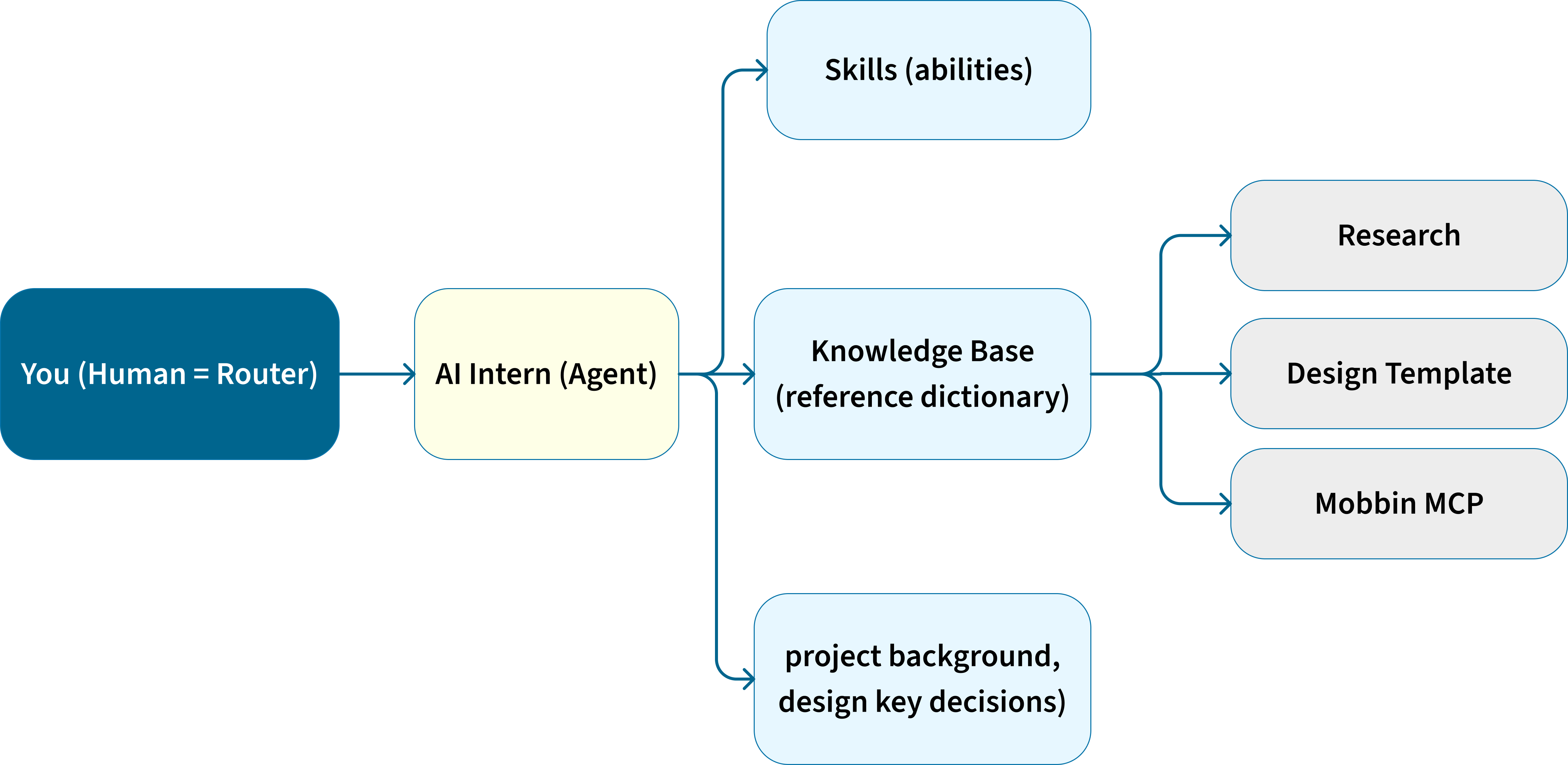
Skills = abilities
Many internal systems create an unfriendly and complex environment for document reviewing
Router stays human
Given messy real projects, I act as mentor and dispatch tasks myself. Agents are just skill carriers, called on demand.
Knowledge Base
It's like handing your assistant a big pile of reference material so they can look up any past resource whenever they need it — no need to memorize everything.
Memory
Project context loads everytime - The knowledge base is static, but Memory pulls out the most important info and actively makes them remember the "current project background" and "Design Key Decisions."
Iteration and improved the results
As to build our AI-native process, we're using to pair code, agents, and design tools into pretty simple workflows. With AI-agents (Claude Code, Storybook and Replit), we are able to ship the designe in a much faster speed and stakeholders can validate the feature look and feel without spending time tweaking the details.
"Help me prototype a few different options for an AI-coach feature that helps coaches quickly understand student needs and take action. The feature should synthesize student reflection form data, session notes, and activity signals into useful coaching insights. Please explore a few different UX options for how these insights could appear in the coach dashboard or student profile, including how to show AI-generated insights, suggested coaching prompts, supporting evidence, and uncertainty. Once you have a few options, review them and pick the one that is most aligned with the current product patterns and coach workflow."
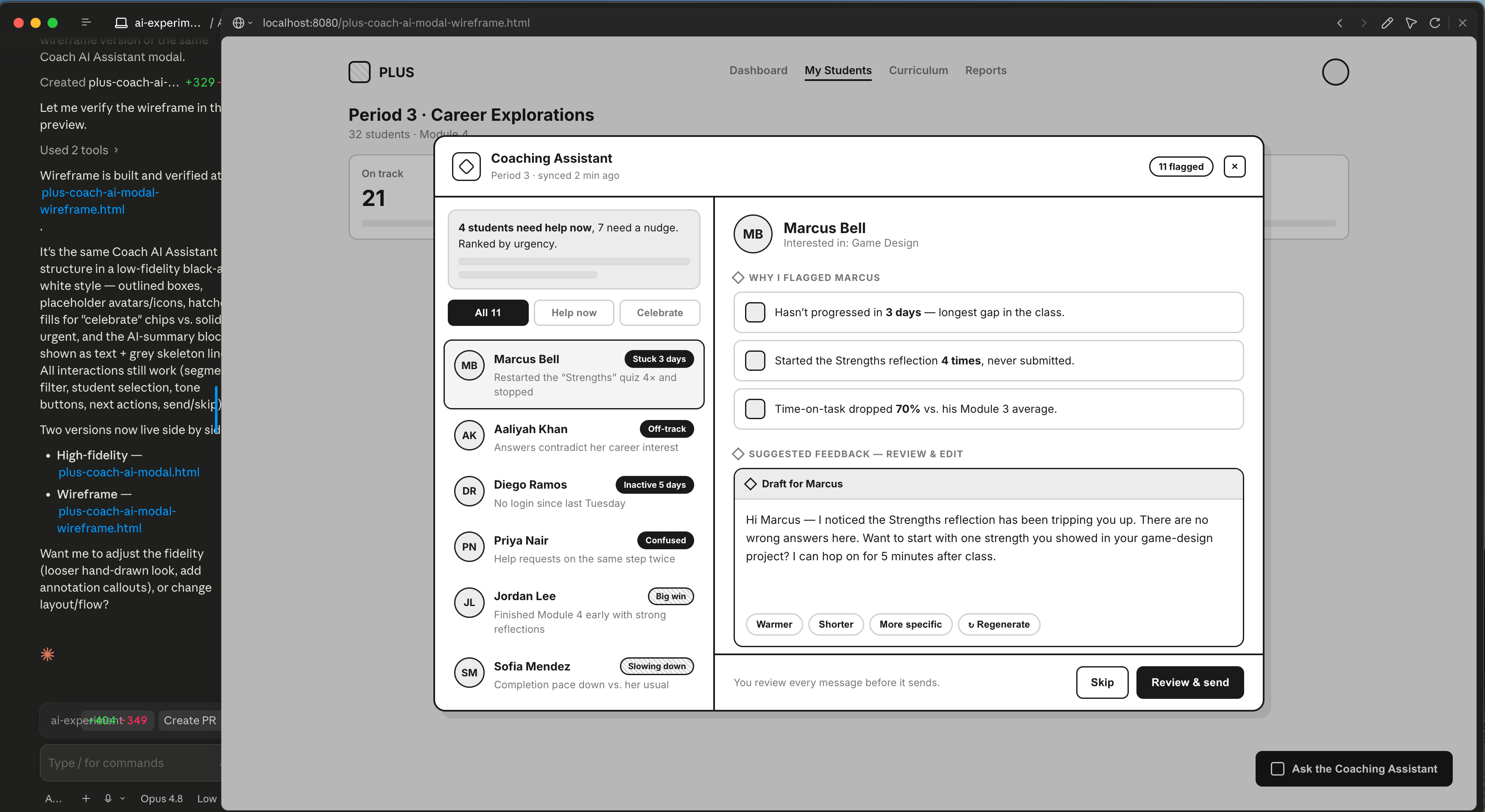
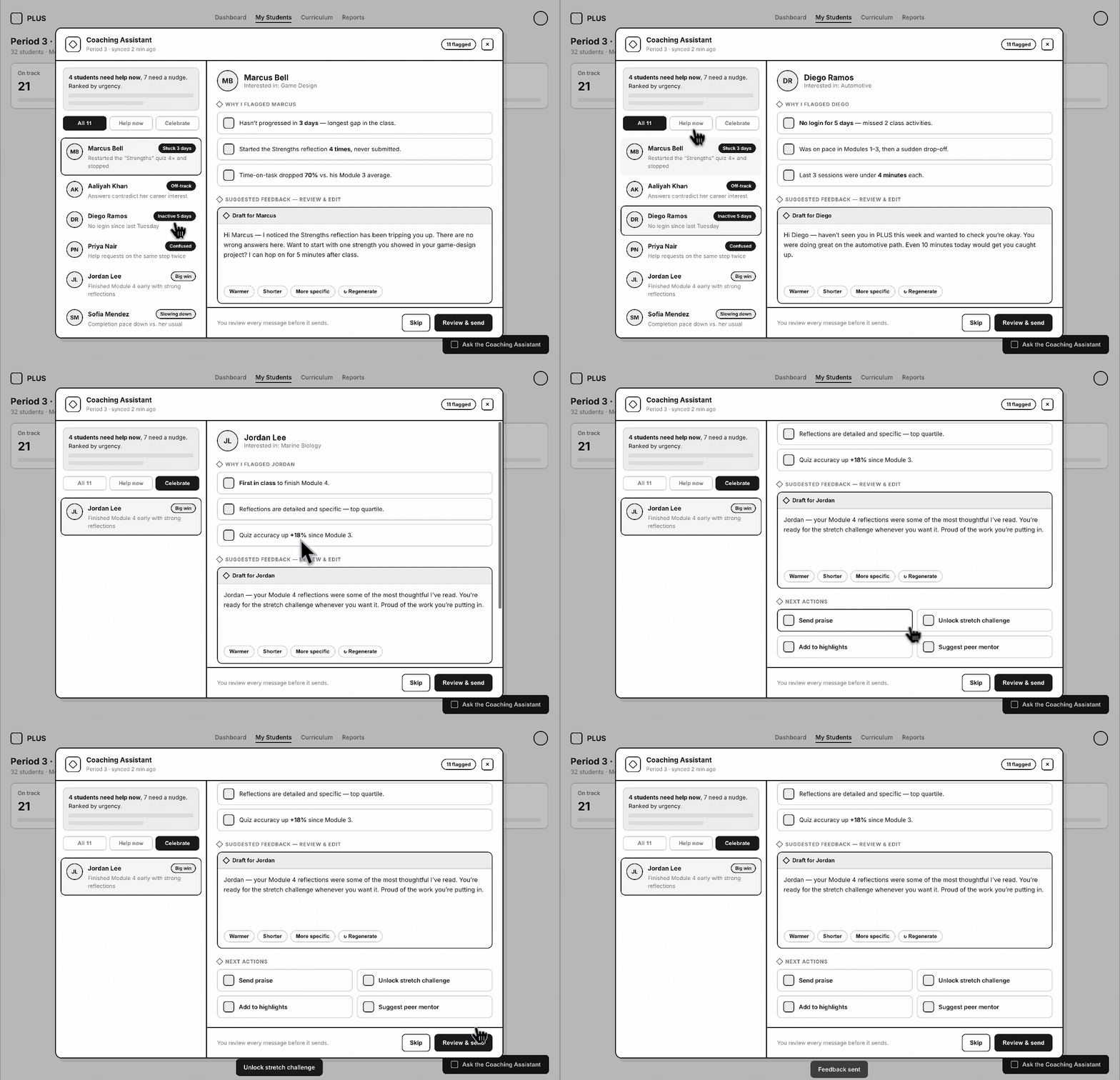
I found the design generated by Claude Code felt overly complicated and introduced features that were outside our proposed scope. The prompt needs to be more specific and include enough context for the model to understand the user persona, the intended use case, and the design goal. This will help keep the output focused, reduce unnecessary complexity, and lower the cognitive load for users.
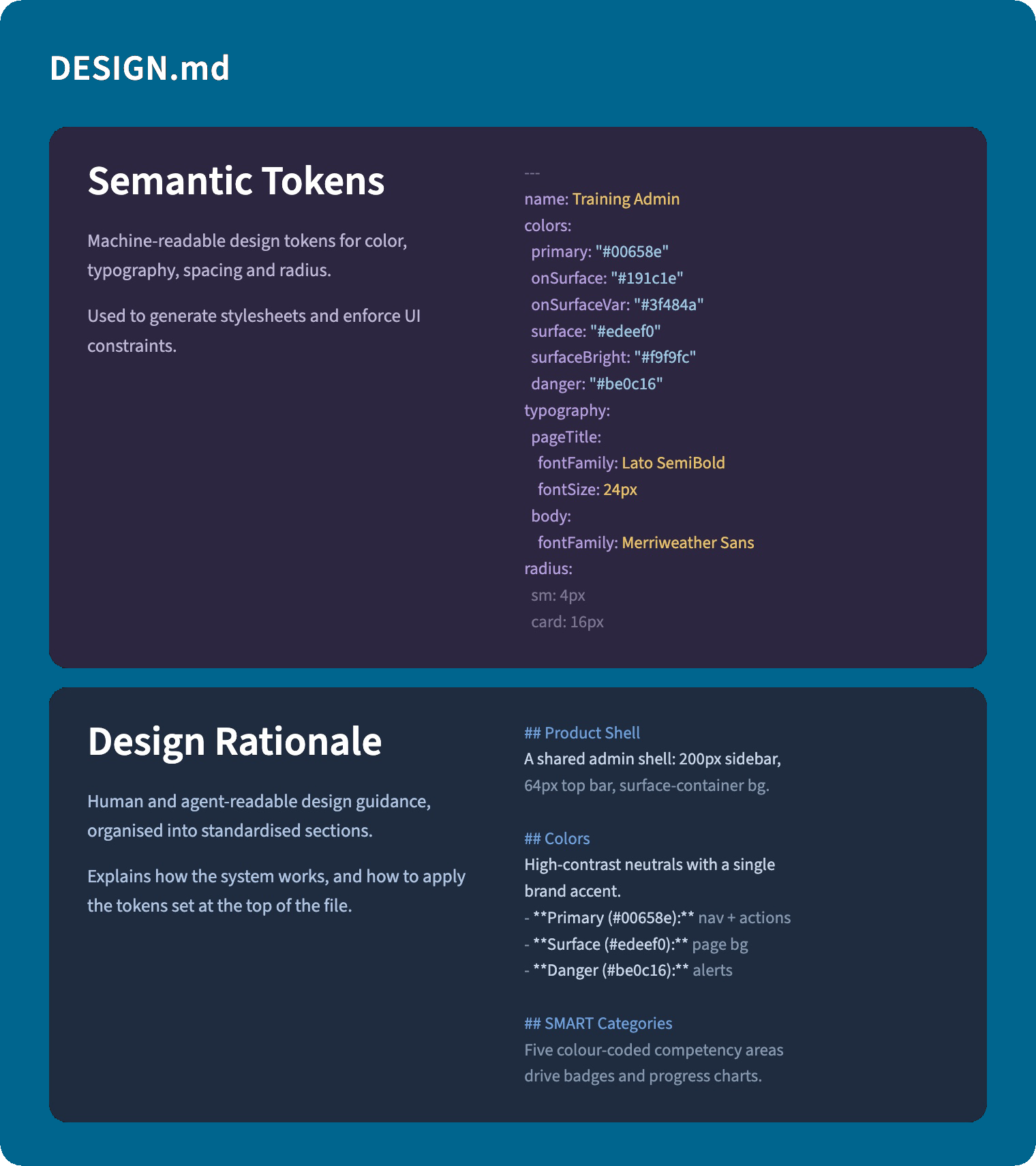
I begun to test the our Design System for AI consumption for a while now, through our MCP server, structured content pipelines, and rich array of agent skills. .
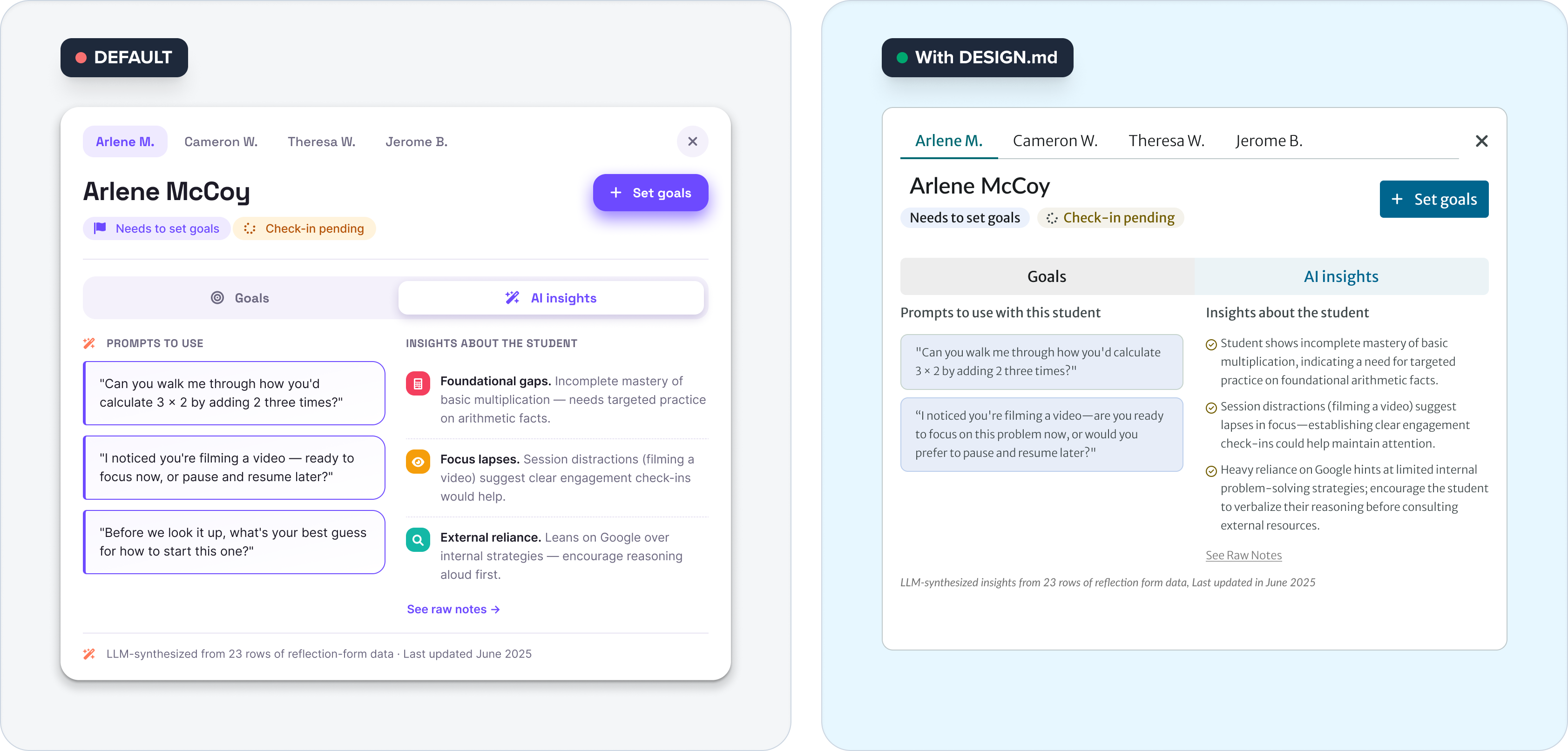
Final Design
Balancing AI-powered insights into new tutuorting
What I've learned
Amidst the rush to integrate AI into workflows, I found it became more difficult to handoff design because everyone has invented various worklow. Therefore I led more workshops with engineering to understand what skills they're using and what tools can be shared acroos the board. LLMs are not quite good at design and decision-making, so designers still are in the loop of the design to control the quality and craft of the design.
More importantly, when it comes to shipping, it’s not just about code. To push the feature in a faster space and solve the real problem, the product team need to narrow the scope, then having engineering and design work together to better leverage LLMs and refine the process.
It’s more about automation and identifying the areas that still need polish, rather than spinning up an entire sprint just to spruce up the interface.

